
Read the real model tag
Get the model and serial number from the tag itself and save a screenshot for the parts order.
For appliance repair pros
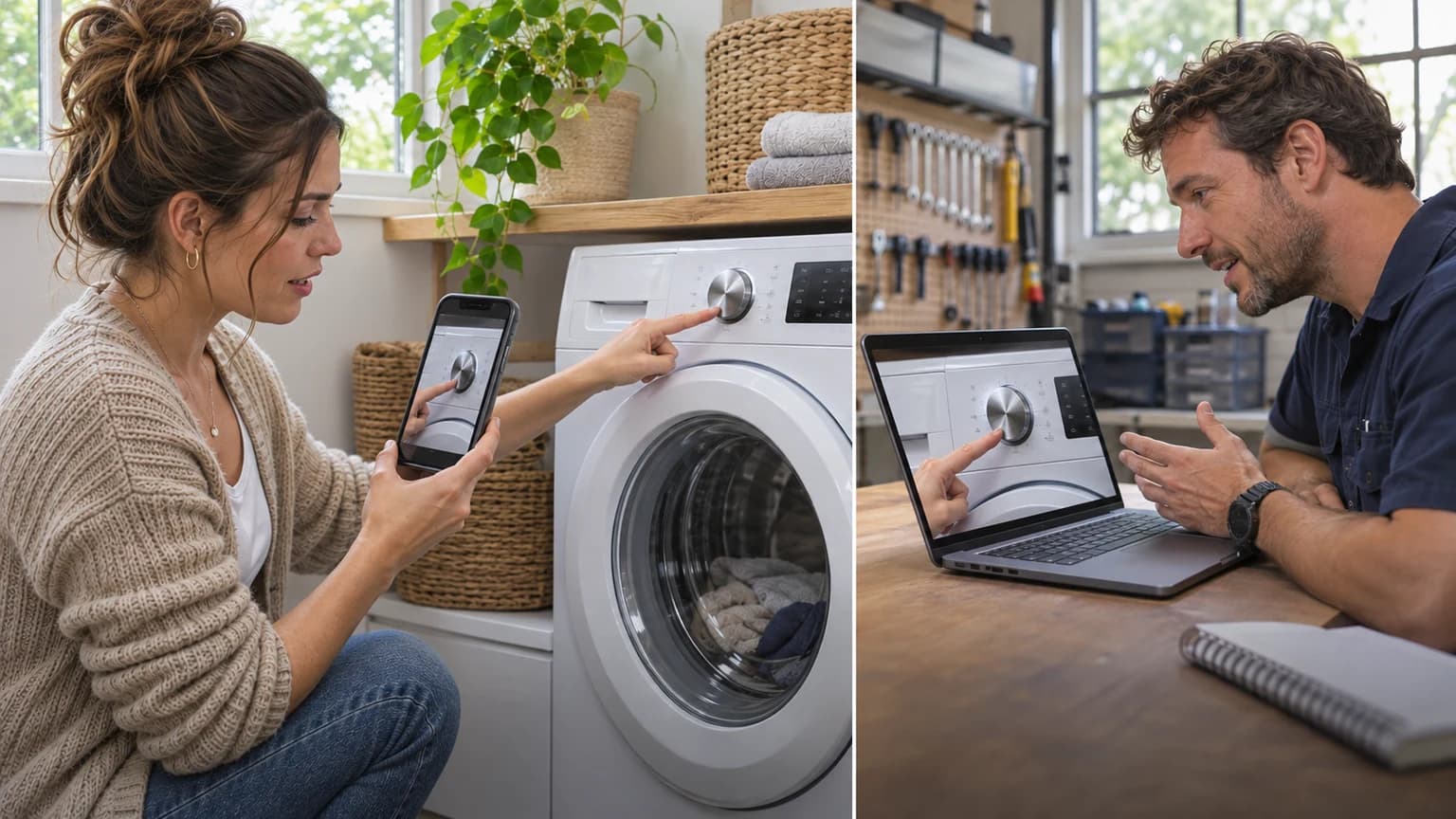
Text your customer a link and see the appliance through their phone camera. Read the model tag, watch the error code, hear the noise, and show up once with the right part.
$24 a month. Unlimited video calls. Cancel anytime.
The problem
The first visit only tells you which part to order. The second one is the visit you get paid for.
The customer reads you a model number from the manual instead of the tag, and the part you bring doesn't fit.
The washer that "won't start" turns out to be a tripped breaker or a control lock you could have caught in two minutes.
How it works
Step 1
Start a session and text the invite to your customer's phone. They tap it and their camera opens in the browser.
Step 2
Have them show you the model tag, the display, and the problem. Draw on the video to show where to point, zoom in, and switch on their flashlight behind the unit.
Step 3
Screenshot the tag and the error code and add notes. They stay saved with the session for ordering parts and for the visit.
What you'll use it for
Get the model and serial number from the tag itself and save a screenshot for the parts order.
Watch the error code, the leak, or the cycle that stops, and listen to the noise the customer can't describe.
Walk the customer through a reset, a control lock, a clogged filter, or a kinked hose without sending a truck.
Screenshots, notes, and recordings stay with the session for warranty claims and callbacks.
Your numbers, not ours
Enter your fully loaded cost for a service visit and how many visits VOS could help you avoid each month. We'll compare the result with the plan that fits your team.
VOS can keep tracking the result after signup: tag an avoided dispatch and your Reports page calculates estimated savings using your organization's actual dispatch cost.
Est. monthly savings
$95
After VOS
$71
Subscription coverage
4.0×
Example estimate only. Include labor, drive time, fuel, vehicle wear, and lost schedule capacity in your visit cost.
At these numbers, one month of savings exceeds the Solo plan.
Get started with SoloSee it in action
Simple, flat pricing
No per-call fees and no contract. Pick a plan, pay by card, and start your first video call in minutes.
Solo
per month
Best for
One-person service businesses
1 user included
Unlimited live video sessions and minutes
Customers join from a link, no app install
Screenshots, recordings, and session notes
WorkFlows for repeatable service checklists
Public review and share links
90-day saved session history
Team
per month
Best for
Service teams with up to five users
Up to 5 users
Everything in Solo, plus:
Up to 5 users included
Shared team workspace with roles and permissions
Team WorkFlows and shared templates
Branded customer experience
Company
per month
Best for
Companies with larger field teams
Up to 20 users
Everything in Team, plus:
Up to 20 users at one flat price, no per-seat fees
Audit-log exports, webhook and API integrations
180-day saved session history
Month to month. Cancel anytime from your billing settings. Pay yearly and save 15%.
Common questions
If they can tap a link in a text message, they can join. There's nothing to install and no login. Once they're on, you talk them through it and draw on the video to show where to aim the camera.
That's up to you. VOS is a flat monthly price with no per-call fees, so anything you charge for a video diagnosis is yours.
No. You send a link, they tap it, and their camera opens in the phone's browser. It works on iPhone and Android, and they don't create an account.
The Solo plan covers one user with unlimited live video calls and minutes, screenshots, recordings, session notes, WorkFlows for repeatable checklists, share links, and 90 days of saved session history. Team is $99 a month for up to 5 users.
There's no contract. Plans renew monthly, or yearly if you choose the yearly discount, and you can cancel anytime from your billing settings. You keep access through the period you've already paid for.
Right away. Signup takes a couple of minutes, and your workspace is ready as soon as the card payment goes through. You can send your first customer link right after.
Ready when you are
Sign up now and use it on the next customer who calls. If it saves you one second trip this month, it has paid for itself.
Unlimited calls · Cancel anytime